
Most law firm owners believe they're protected because they receive backup reports every day.
Green checkmark.
Backup completed successfully.
Everything must be fine, right?
Maybe.
The problem is that a successful backup and a successful recovery are two very different things.
We've seen firms confidently tell us their backups were working, only to discover during an emergency that files were missing, data was corrupted, or the backup couldn't be restored the way they expected.
That's why the better question isn't:
"Are our backups running?"
It's:
"Have we actually tested them?"
Backup and disaster recovery experts consistently emphasize that backups are only valuable if they can be successfully restored and support business recovery objectives. Untested backups often fail at the worst possible moment. Don’t be the person who jinxes themselves by saying, “Oh yeah my system is backed up,” without actually testing them.
The Danger of Assuming Your Backups Work
Think of a backup like a spare tire.
You can feel a lot better knowing it's in the trunk, but if it's flat when you need it, it isn't helping anyone.
The same thing happens with a firm’s backups.
A backup may be completed successfully every night, but that doesn't guarantee:
- The data is intact
- The files you need are included
- The backup isn't corrupted
- The recovery process will work
- Your team knows how to restore it
Many organizations don't discover a problem until they're already dealing with a server failure, ransomware attack, accidental deletion, or hardware issue. By then, it's a little late for surprises. Regular testing helps verify backups can be restored and identifies gaps before a real incident occurs.
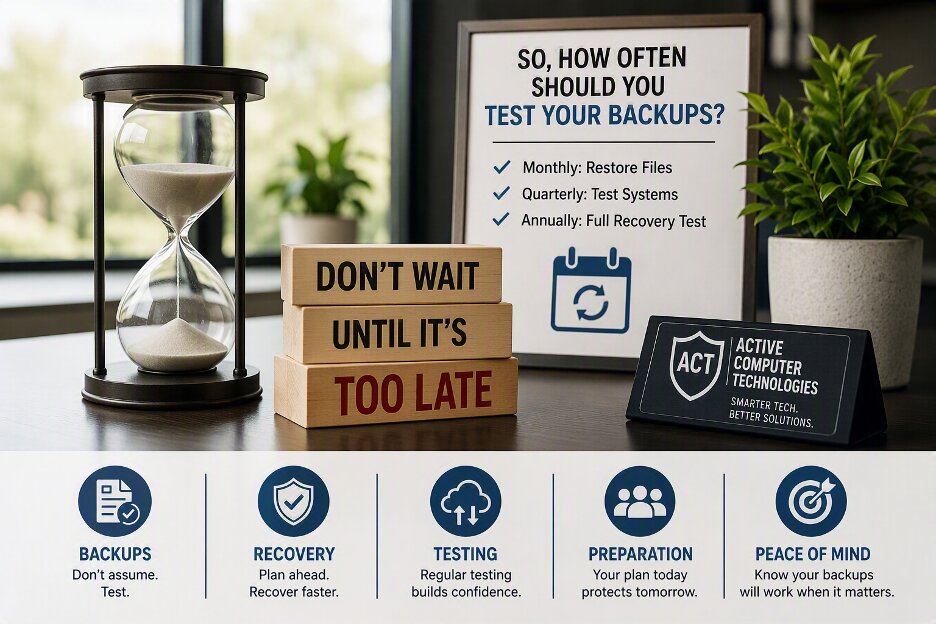
So, How Often Should You Test Your Backups?
The honest answer is:
More often than most firms do.
At a minimum, firms should regularly perform restore tests rather than simply checking backup reports. Industry guidance commonly recommends scheduled recovery testing to validate that backups remain usable, and recovery procedures still work as systems change over time.
For many small and midsize firms, a practical approach looks like this:
Monthly: Restore Individual Files
Can you recover a document?
Can you recover a folder?
Can you recover something an employee accidentally deleted?
These small tests are quick but often reveal problems before they become larger issues.
Quarterly: Test Critical Systems
This goes beyond restoring a file.
Can your server be recovered?
Can key business applications be restored?
Can your team access the data they need?
Quarterly testing helps validate the systems your business depends on can come back online. Recovery testing is commonly used to validate recovery procedures, recovery objectives, and overall readiness
Annually: Test the Entire Recovery Process
This is the big one.
If a major outage occurred tomorrow, how would your firm recover?
Who is responsible?
What systems come back first?
How long would it actually take?
An annual recovery exercise helps answer these questions before a real emergency forces you to.
What Most Businesses Get Wrong
The biggest mistake we see is focusing entirely on backups and ignoring recovery.
Business owners ask:
"Are we backed up?"
Rarely do they ask:
"How long would recovery take?"
Those are two very different conversations.
A firm could have perfect backups and still experience days of downtime if the recovery process hasn't been tested.
Recovery planning should define which systems are most important, what recovery priorities exist, and who is responsible for managing the process.
At the end of the day, we know whoever is reading this wants their firm to be the best out of their competitors. To do that, you need to always improve and be on top of your operations.
Guess what?
You need stable and efficient IT to do that. The last thing you need when trying to rise above your competitors is multiple days of downtime.
What Would One Day of Downtime Cost You?
Business owners often ask whether managed IT services are worth the cost.
Here's another question:
What's one day of downtime worth to your business?
If your team can't work, your customers can't get answers, and your revenue-generating systems are unavailable, the financial impact adds up quickly. In many cases, the cost of a single outage can outweigh several months of managed IT services, which for most of our clients ranges from $165 to $185 per workstation per month.
That's why the conversation shouldn't just be about the cost of IT support.
It should also be about the cost of NOT having solid IT support.
Five Questions Every Business Should Be Able to Answer
If your primary server failed right now, could you answer these questions?
- When was the last successful restore test?
- How long would recovery take?
- Which systems would be restored first?
- Who is responsible for coordinating recovery?
- How much downtime can your business realistically tolerate?
If the answer to any of these questions is "I'm not sure," your backups may need more attention than you realize.
A Backup Isn't a Recovery Plan
The firms that recover fast aren't necessarily the ones with the most backups.
They're the ones that know their backups work.
Regular testing provides confidence that your data is recoverable, your systems can be restored, and your team knows exactly what to do when something goes wrong. Recovery readiness comes from testing and validation, not assumptions.
Not Sure If Your Backups Would Work?
Most law firm owners are not sure.
At Active Computer Technologies, we help firms evaluate their backup and recovery processes, identify gaps, and verify that critical systems can be restored when needed.
Because the worst time to discover a backup problem is the day you're counting on it to save your business.
Book a discovery call at 469-653-0517 or visit us at www.activecomputers.com. We are here to serve!